
PDF · On-device
JPEG to PDFon iPhone and iPad.
Applications, visa portals and HR systems often insist on PDF — even for a single photo of a document. Fileroom turns a JPG into a PDF on your phone, so your ID and paperwork never pass through an online converter.
Free to download — no account, no uploads.
Why convert JPEG to PDF?
- Many portals only accept PDF uploads.
- A PDF prints at a predictable page size.
- Passports, IDs and receipts stay private on your device.
- Works offline — useful at the counter or on the go.
How to convert JPEG to PDF
- 01
Choose the photo
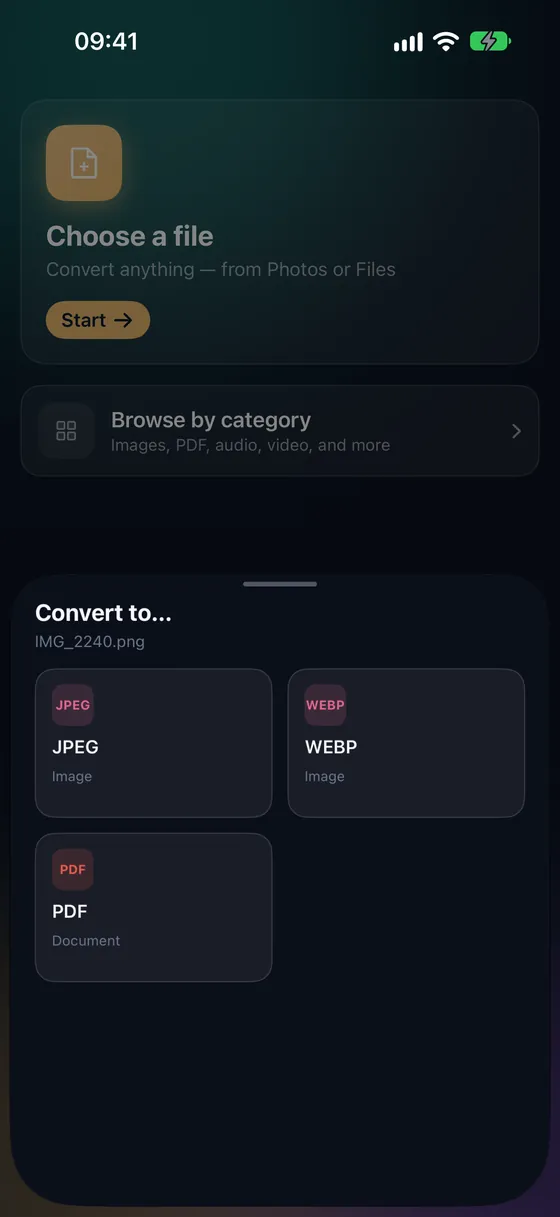
Open Fileroom, tap Choose a file and pick the JPG from Photos or Files.
- 02
Tap PDF
Pick PDF from the list of formats.
- 03
Convert
Tap Convert. The PDF is saved to your library, ready to upload or email.
Frequently asked
- How do I put several photos into one PDF?
- Use PDF tools › Images to PDF. Pick the photos, set their order and choose a page size — Auto, A4 or Letter.
- Can I scan a paper document instead of taking a photo?
- Yes — PDF tools › Scan documents finds the edges, straightens the page and saves a clean PDF.
- Does it work with HEIC or PNG too?
- Yes. Images to PDF accepts JPEG, PNG and HEIC, even mixed together.
Related conversions
Try Fileroom on your iPhone.
iPhone and iPad on the App Store — every format pair, all on-device. Android coming soon.
Want new features early? Join the TestFlight beta