
Image · On-device
TIFF to JPEGon iPhone and iPad.
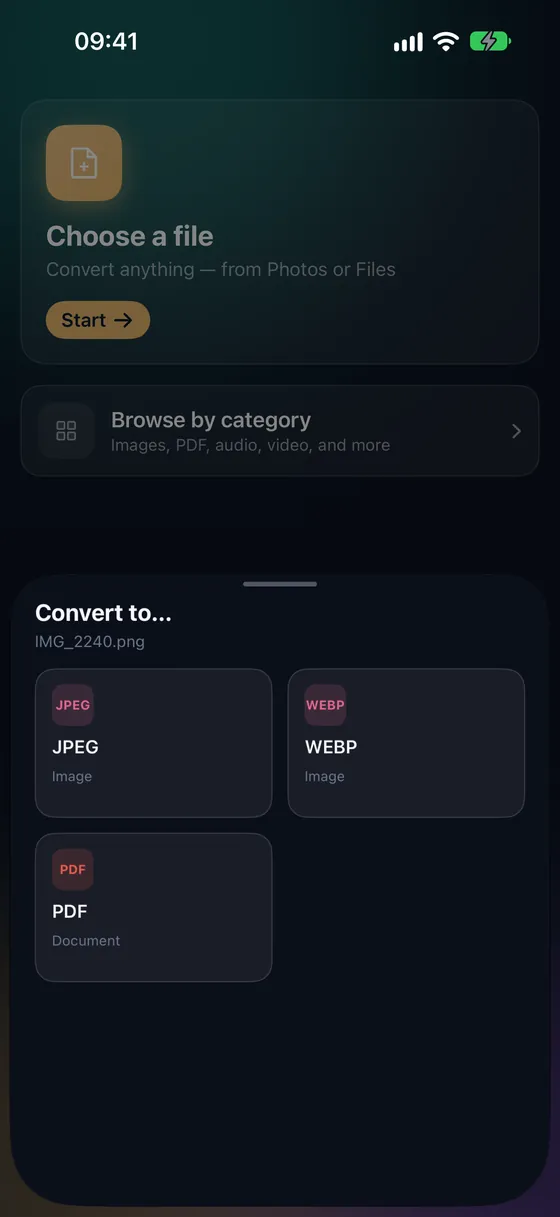
Scanners, cameras and print workflows often produce TIFF files — high quality, but huge and awkward to email or open on a phone. Fileroom converts TIFF to JPEG on your device, so you get a file anyone can open.
Free to download — no account, no uploads.
Why convert TIFF to JPEG?
- TIFF files are often tens of megabytes; JPEG is a fraction of that.
- Email, chat apps and websites all accept JPEG.
- Scanned documents and archive photos stay on your device.
- Choose the quality to balance size and detail.
How to convert TIFF to JPEG
- 01
Choose the TIFF
Open Fileroom, tap Choose a file and pick the TIFF from Files or iCloud Drive.
- 02
Tap JPEG
Pick JPEG and set the quality — 85–90 keeps scans looking clean.
- 03
Convert
Tap Convert. The JPEG is saved to your library, ready to share.
Frequently asked
- Will I lose quality converting TIFF to JPEG?
- JPEG is lossy, so a little detail is discarded — at quality 90 it's hard to see. Keep the TIFF as your master copy if you'll print or edit it professionally.
- Can I turn a scanned TIFF into a PDF instead?
- Yes — convert it to JPEG, then use PDF tools › Images to PDF. Or scan paper straight to PDF with Scan documents.
Related conversions
Try Fileroom on your iPhone.
iPhone and iPad on the App Store — every format pair, all on-device. Android coming soon.
Want new features early? Join the TestFlight beta