
Ebook · On-device
Markdown to PDFon iPhone and iPad.
Markdown is perfect for writing, but people you share with expect a PDF. Fileroom renders Markdown — including tables, task lists and code blocks — into a tidy PDF on your device.
Free to download — no account, no uploads.
Why convert Markdown to PDF?
- Share notes, specs and READMEs as a polished document.
- Supports GitHub-flavored Markdown: tables, task lists, code blocks.
- Print-ready pages with consistent styling.
- Your drafts stay on your device.
How to convert Markdown to PDF
- 01
Choose the file
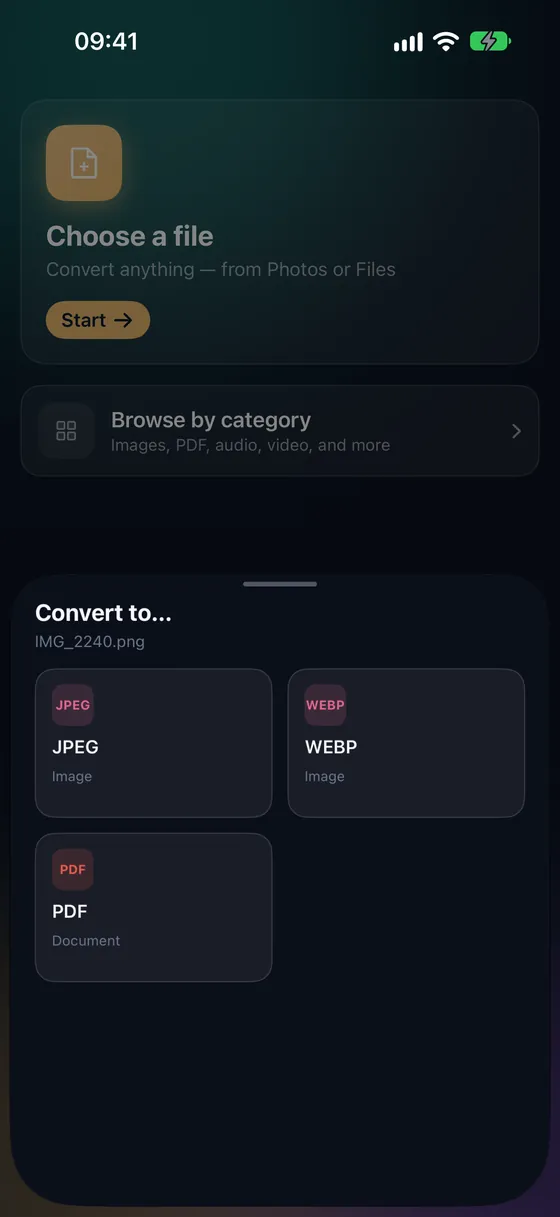
Open Fileroom, tap Choose a file and pick the .md file from Files or iCloud Drive.
- 02
Tap PDF
Pick PDF. You can also convert to HTML if you need a web page.
- 03
Convert
Tap Convert. The PDF is saved to your library, ready to send.
Frequently asked
- Can I change fonts and styling?
- Custom styles for Markdown → PDF are part of Fileroom Pro. The default style is clean and print-friendly.
- Can I convert Markdown to HTML instead?
- Yes — pick HTML instead of PDF in the list of formats.
Related conversions
Try Fileroom on your iPhone.
iPhone and iPad on the App Store — every format pair, all on-device. Android coming soon.
Want new features early? Join the TestFlight beta