
Audio · On-device
MP3 to WAVon iPhone and iPad.
Some audio editors, DJ tools, samplers and phone systems require uncompressed WAV. Fileroom converts MP3 to WAV on your device in seconds.
Free to download — no account, no uploads.
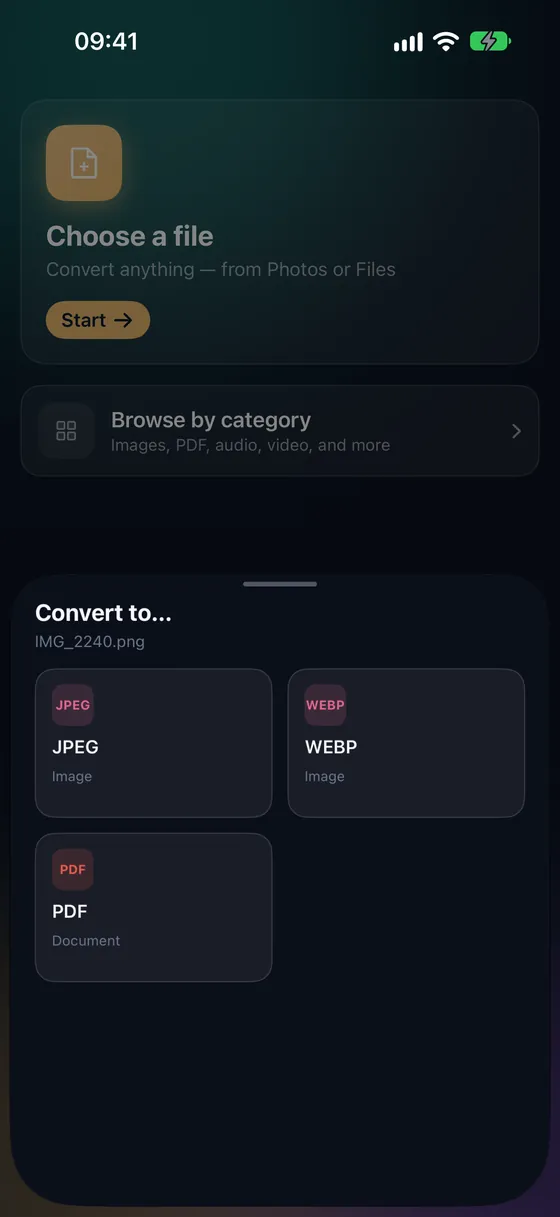
Why convert MP3 to WAV?
- WAV is accepted by practically every audio editor and DAW.
- Uncompressed audio avoids re-encoding losses while you edit.
- Needed for many phone systems, samplers and burning tools.
- Nothing is uploaded.
How to convert MP3 to WAV
- 01
Choose the MP3
Open Fileroom, tap Choose a file and pick the MP3 from Files.
- 02
Tap WAV
Pick WAV from the list of formats.
- 03
Convert
Tap Convert. The WAV is saved to your library.
Frequently asked
- Does MP3 to WAV improve the sound?
- No — WAV can't restore what MP3 discarded. It keeps the audio exactly as it is, without further loss while you edit.
- Why is the WAV so large?
- WAV is uncompressed — about 10 MB per minute of stereo audio. That's expected.
Related conversions
Try Fileroom on your iPhone.
iPhone and iPad on the App Store — every format pair, all on-device. Android coming soon.
Want new features early? Join the TestFlight beta